How do you get meeting notes without a bot joining your call?
Use a notes app that records on your own computer instead of sending a bot into the meeting. It captures your microphone and the call’s sound, so nothing new appears in the participant list and it works with any meeting app. You should still tell everyone that you are recording.

Why note-taking bots get in the way
Many meeting tools take notes by sending a bot into the call. It joins like a person, with its own name in the participant list, and records from inside the meeting. That works, but it changes the room. Guests ask who the extra participant is. Clients from other companies may not want an unknown service listening. Some organisations block outside bots altogether, and a formal meeting, such as a board meeting or a client negotiation, can start with an awkward pause.
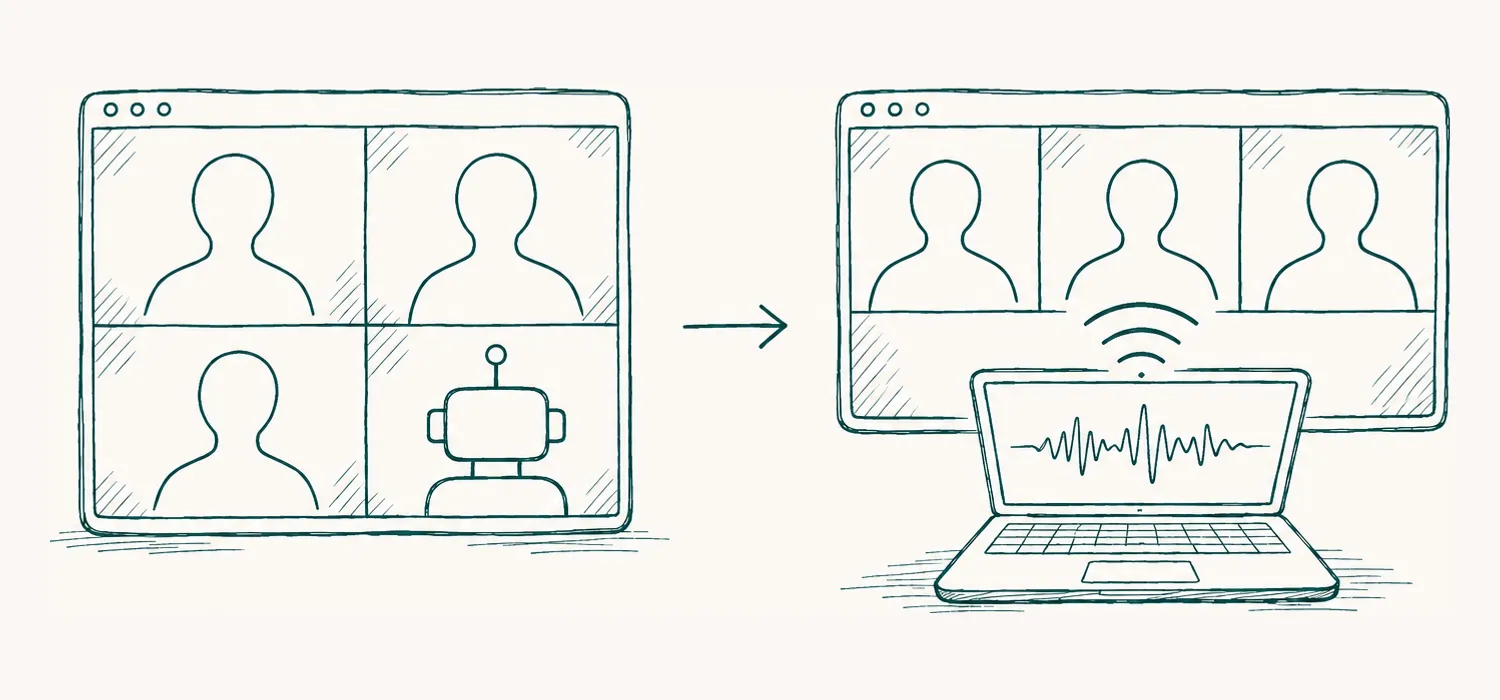
- With a bot: an extra participant
- Without a bot: your computer listens
How recording on your own computer works
A call reaches you as sound: your own voice goes into your microphone, and everyone else’s comes out of your speakers or headphones. A notes app on your computer can capture both, with your permission, and turn them into one transcript as the meeting goes on.
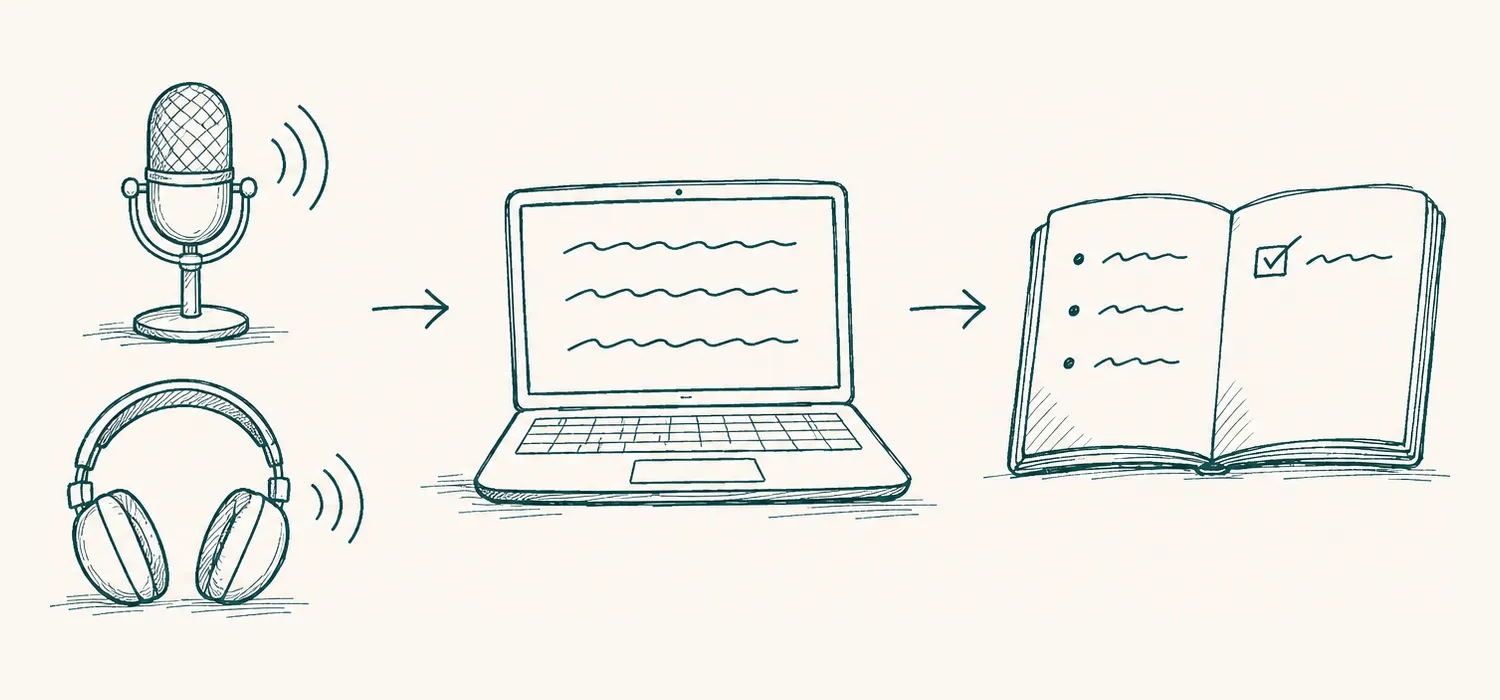
- Your microphone and the call’s sound
- A live transcript
- Your notes
Because nothing joins the meeting, it does not matter which app the call runs in. The same notes app works for a video call, a phone call on your computer or a call in a browser tab.
What to check before you choose a tool
- Does anything join the call? The answer you want is no.
- Does it work with every meeting app you use? Including the ones your clients choose.
- Does it ask before it records? A tool that starts recording on its own can catch conversations it should not.
- Where does the audio go, and is it kept? Read the privacy policy for a plain answer, and see what to check before trusting AI with your meetings.
- Does it understand the languages you speak? Especially if your meetings mix Arabic and English.
A simple routine
- Install the app and allow it to use the microphone and your computer’s sound.
- Connect your calendar if you want a reminder when meetings start.
- At the start of the call, tell everyone you are recording, then start.
- Type rough notes if you like. When the call ends, stop, and the notes are written.
- Read them through, correct anything important, and share them.
No bot still means being open
Recording without a bot is quieter, not secret. People should always know they are being recorded, and in many places the law requires their consent. Saying it at the start of the call takes a few seconds and keeps trust intact.
How Majlis helps
No bot joins your call. Majlis records your microphone and your computer’s sound on your Mac or PC, so it works with any meeting app. A minute before a meeting in your calendar it offers to start your notes, and if it notices a call has started it asks; it never records by itself. Before each recording it reminds you to tell everyone, and when you stop, it writes the notes: what was decided, and who does what.
Join the Majlis waitlist to download it for Mac or Windows, or see how Majlis works.
Questions
Will other people in the call see Majlis?
No. Majlis does not join the call. It listens to your computer’s microphone and the call’s sound, so nobody sees a bot or a new participant.
Does it work with Teams, Zoom and Google Meet?
Yes. Because it records the sound on your own computer, it works with any meeting app, including calls in a browser.
Can it start recording without me?
No. Majlis offers to start your notes a minute before a meeting in your calendar, or when it notices a call has started, but it never records by itself.
Do I still need to tell people I am recording?
Yes. No bot in the call does not mean nobody needs to know. Laws in many places require everyone’s consent, and Majlis reminds you before every recording.